
Key Takeaways
- Form 2553 is the IRS form small businesses file to elect S-corporation tax status under Section 1362(a) of the Internal Revenue Code.
- The standard filing window is two months and 15 days after the start of the tax year the election takes effect. For calendar-year businesses in 2026, that lands on March 16.
- Late elections can qualify for relief under Revenue Procedure 2013-30 for up to three years and 75 days after the intended effective date, with reasonable cause.
- The most common law firm bottleneck on Form 2553 is intake. Missing signatures, wrong dates, and unclear shareholder counts cause most late filings.
- Legal forms automation cuts friction from Form 2553 intake by capturing data once, verifying it against IRS rules, and routing it into the client's matter file.
What Is Form 2553?
Form 2553 is the IRS form a corporation, or an eligible entity electing to be treated as a corporation, used to make an S-corporation election under Section 1362(a) of the Internal Revenue Code. Once accepted, the entity is taxed under Subchapter S, which usually means pass-through taxation and no corporate-level tax on business income.
The form is short but strict. Every shareholder listed must sign a consent statement. The election period, corporate name, EIN, incorporation date, and effective date all have to match IRS records. Any inconsistency triggers an IRS letter and, in many cases, a lost election.
The form and instructions are published by the IRS on the Form 2553 About page. Attorneys often advise on whether the S election is right for the client and coordinate the filing with the client's CPA.
Who Needs To File Form 2553
Form 2553 is filed by any corporation, or any eligible LLC or partnership treated as a corporation, that wants S-corporation tax status. The election is voluntary. Not every small business benefits from it.
Typical candidates for the election:
- New corporations formed in the current tax year
- LLCs that elect corporate taxation and want S-corp treatment
- Existing C corporations converting to S-corp status
- Family businesses distributing profits through payroll and distributions
- Professional practices (subject to reasonable compensation rules)
Ineligible entities include most foreign corporations, certain financial institutions, insurance companies, and any entity with more than 100 shareholders or with non-individual shareholders outside the allowed categories.
Form 2553 Filing Deadlines And Timing
The general Form 2553 deadline is two months and 15 days after the start of the tax year in which the election takes effect. Filing during the preceding tax year also works.
Miss the window, and the entity defaults back to its prior tax classification (typically C-corp for corporations or partnership/disregarded-entity for LLCs). Late-election relief exists, but it adds paperwork.
Common Reasons Clients Ask For Form 2553 Help
Business formation attorneys see the same Form 2553 questions on repeat. A short list explains most of the intake calls.
- The client just formed an LLC or corporation and wants pass-through taxation
- The client's CPA recommended an S election for payroll and self-employment tax savings
- The client hit the two-month-and-15-day window and needs a quick filing
- The client missed the deadline and needs late-election relief
- The client received an IRS notice rejecting the election
- The entity's ownership structure changed and the S election is at risk
Each of these is an intake conversation. Each also produces a task list that maps well to legal forms automation.
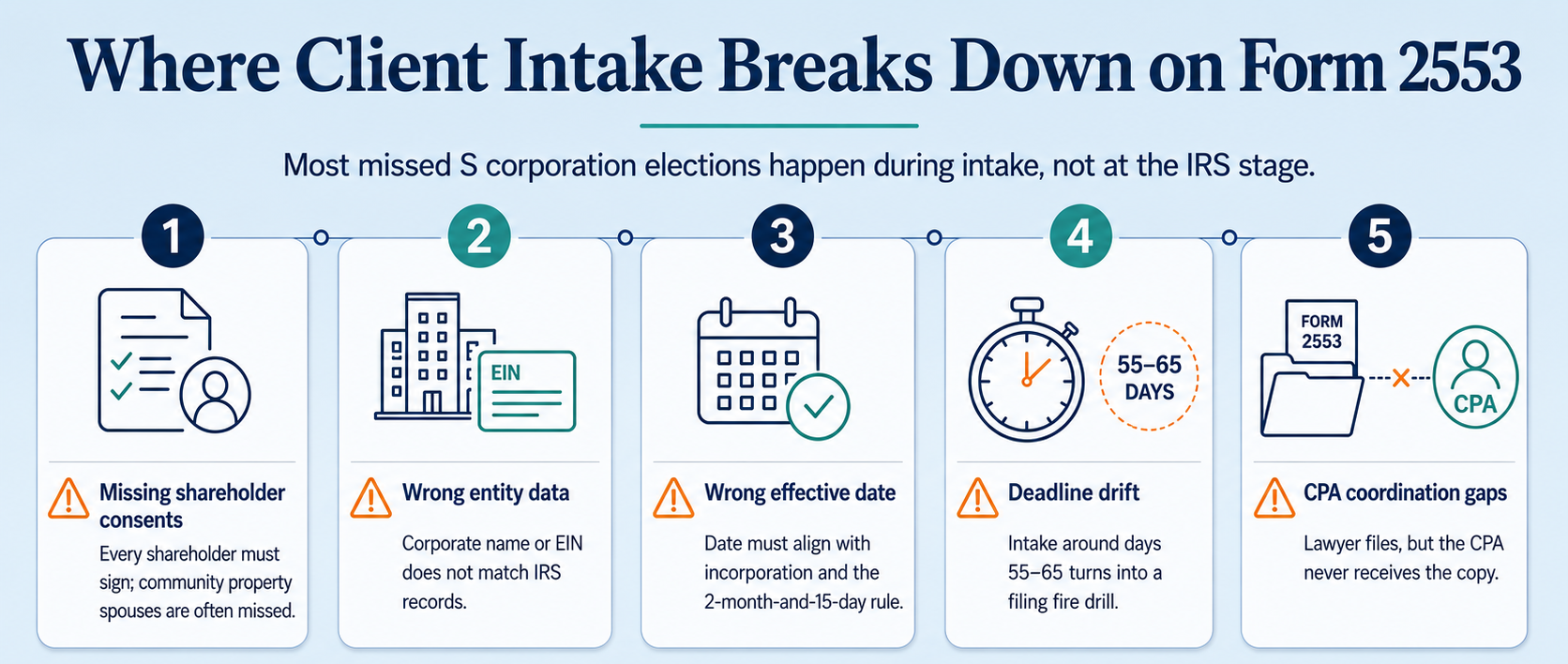
Where Client Intake Breaks Down On Form 2553
Form 2553 fails at the intake stage more than at the IRS stage. Five failure points cover most missed filings.
- Missing shareholder consents. Every shareholder must sign. Missing a spouse in a community property state is a common trap.
- Wrong entity data. Corporate name or EIN mismatched with IRS records means rejection.
- Wrong effective date. The date entered on the form must line up with the incorporation date and the two-month-and-15-day rule.
- Deadline drift. The client waits to hire a lawyer until day 60. Intake at day 55 to 65 becomes a fire drill.
- CPA coordination gaps. The lawyer files but the CPA never sees the copy. Downstream returns get filed wrong.
Fixing intake usually fixes the filing. A cleaner intake process is where legal forms automation earns its keep.
Legal Forms Automation Basics For Law Firms
Legal forms automation is the practice of building legal forms and document workflows that run without manual retyping. The tools pull data from an intake form into a template, apply logic, and produce a filing-ready document.
A working setup for a business formation practice usually includes:
- Digital intake forms with conditional logic per matter type
- A CRM or case management system that stores client and matter records
- A document assembly engine that populates templates from CRM fields
- E-signature capture for shareholder consents
- Deadline calendaring tied to the effective date
- Automated reminders for missing data or signatures
- Integration with the firm's document management system
Popular platforms include Clio Grow, Lawmatics, PracticePanther, Smokeball, Gavel, and Rally. Each handles the core pattern with different strengths. For a broader review of the intake-side options, see Legal Intaker's roundup of the best client intake software for law firms.
How To Automate Form 2553 In Your Client Intake Workflow
Automate Form 2553 in your client intake workflow in eight steps. Most firms can be live within two weeks.
- Map the current workflow. List every step from first call to filed Form 2553, and mark where data is retyped.
- Build a business formation intake form. Include entity name, state of formation, EIN status, incorporation date, tax-year-end, and a shareholder list with contact details.
- Add conditional logic. Route LLC clients to a corporate-election add-on question. Prompt community property state clients for spouse information.
- Sync to case management. Match every intake field to a CRM field so nothing is retyped.
- Build the Form 2553 template. Map CRM fields to the form and lock the template.
- Add e-signature for shareholder consents. Send the consent block to every shareholder listed, with reminders on a set cadence.
- Set the deadline calendar. Auto-calculate the two-month-and-15-day window from incorporation date and add to the matter's task list.
- Trigger CPA notification. Automatically send a copy of the filed form and IRS acceptance letter to the client's CPA on record.
Document each step in a written policy. New associates and paralegals can then move business formation matters through intake without partner review of every field.
Legal Forms Automation Tools For Business Formation Practice
The tools below are the most common platforms firms use for business formation intake and document automation. Confirm current features and pricing before selecting.
Most firms combine a CRM or intake tool (Clio Grow, Lawmatics, or PracticePanther) with a document automation layer (Gavel or Smokeball). Native integrations save more time than any single feature.
Sample Workflow: From New Client Call To Filed Form 2553
The workflow below shows how a business formation matter runs when intake is automated end to end. Use it as a template.
- Lead arrives through a Google search for "S corp election lawyer near me" and calls the firm.
- Intake specialist answers live and runs the qualification script for business formation matters.
- Conflict check runs against the case management system.
- Consultation booked directly into the attorney's calendar.
- Digital intake form sent with entity details, shareholder list, and tax-year information.
- Engagement letter sent with an eCheck payment button.
- Client signs and pays retainer, sees the shareholder consent screen next.
- Shareholder consents captured by e-signature with automatic reminders.
- Form 2553 auto-populated from CRM fields, checked for consistency, and reviewed by the attorney.
- Form filed by fax or mail per current IRS instructions, and a copy sent to the CPA.
- IRS acceptance letter tracked in the matter file with a task to follow up if not received within 60 days.
The workflow assumes trained humans on the phones. For coverage during off hours or overflow, see Legal Intaker's blog on legal intake phone services.
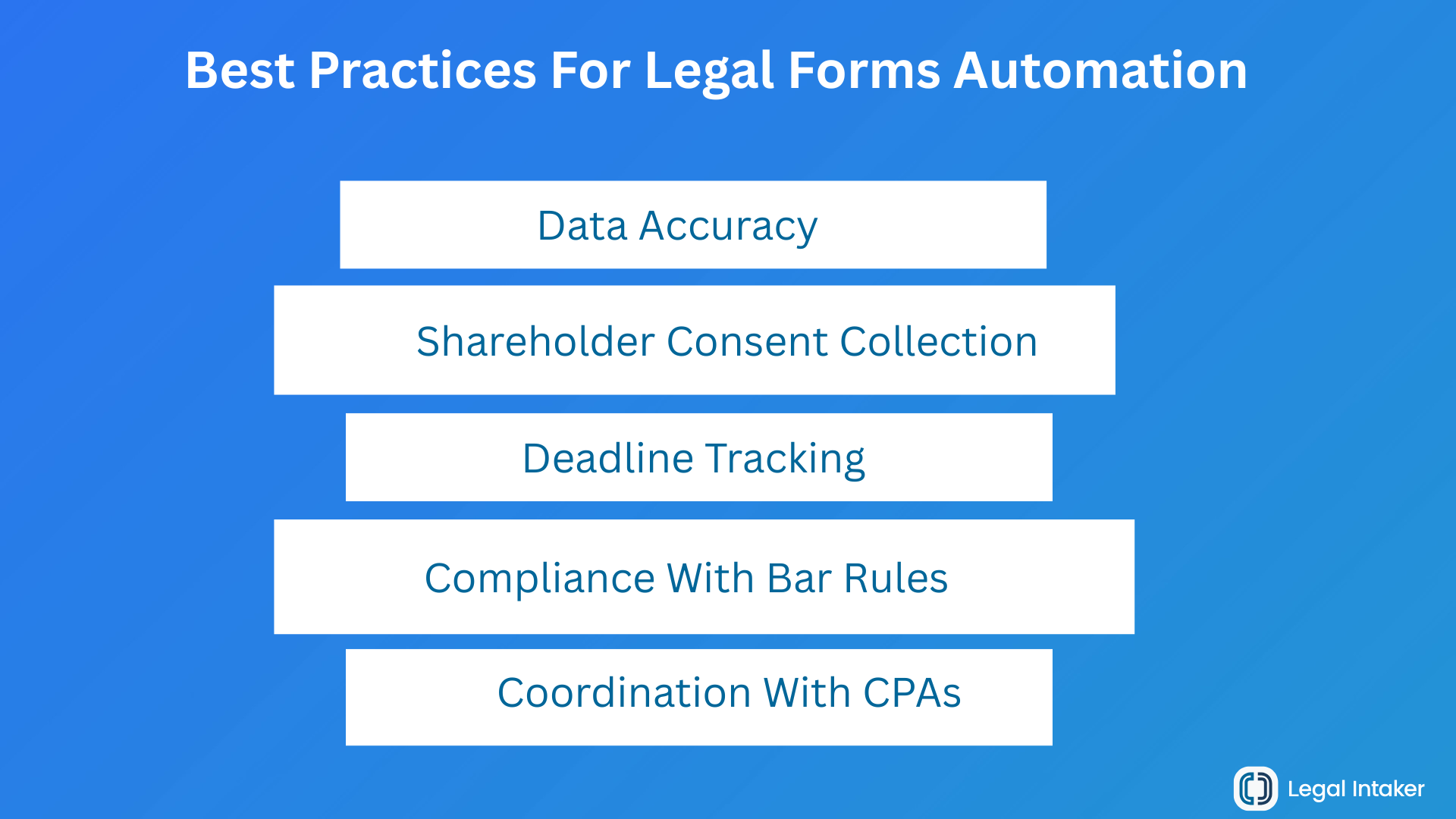
Best Practices For Legal Forms Automation
Best practices for automating Form 2553 and other legal forms group into five areas. The firms that scale cleanly follow all five.
Data Accuracy
- Validate EINs and entity names against the IRS records the client provides
- Require both the client's typed name and a signature for shareholder consents
- Flag mismatched effective dates and incorporation dates before the form generates
Deadline Tracking
- Calculate the two-month-and-15-day window automatically from the incorporation date
- Add reminders at 60, 30, 15, and 5 days before the filing deadline
- Track fiscal-year clients separately, since their windows shift
Shareholder Consent Collection
- Send consent requests to every listed shareholder the same day
- Follow up automatically at 3, 7, and 14 days
- Prompt for spouse consent in community property states before generating the form
Coordination With CPAs
- Ask for the client's CPA at intake and store the contact
- Auto-forward the filed form and IRS acceptance letter to the CPA
- Add a review task 30 days after filing to confirm the CPA received both documents
Compliance With Bar Rules
- Do not give tax advice unless you are qualified to do so
- Disclose in the engagement letter what the firm is and is not filing
- Follow supervision rules under ABA Model Rule 5.3 when non-lawyer staff operate the automation
- Confirm attorney-client confidentiality under ABA Model Rule 1.6 in the platform contracts
Late-Filing Relief Under Revenue Procedure 2013-30
Late Form 2553 filings can qualify for relief under Revenue Procedure 2013-30. The relief window covers up to three years and 75 days from the intended effective date if the entity meets the requirements.
The core requirements from the IRS:
- The entity intended to be classified as an S corporation
- The entity is otherwise eligible
- The only reason the S election failed is that Form 2553 was not filed on time
- The entity and all shareholders reported income consistent with S-corp status for every year involved
- Less than three years and 75 days have passed since the intended effective date
The filing procedure is straightforward. File Form 2553 with the initial Form 1120-S. Include a written statement establishing reasonable cause for the late filing. Write "Filed Pursuant to Rev. Proc. 2013-30" at the top of page 1.
The IRS publishes ongoing guidance on the Late Election Relief page. Read it before filing, since procedures update.
Ethics And Confidentiality Considerations
Attorneys advising on Form 2553 sit at the edge of law and tax practice. The American Bar Association Model Rules of Professional Conduct still apply, and so do the IRS's rules on practice under Circular 230 for any lawyer signing or representing the client before the IRS.
Practical checklist:
- Model Rule 1.1 (Competence): understand the tax election before advising or filing
- Model Rule 1.6 (Confidentiality): protect client data across the automation platform
- Model Rule 5.3 (Supervision): supervise non-lawyer staff running the automation
- Model Rule 5.5 (Unauthorized practice): coordinate with a CPA when tax advice crosses the line
- Written engagement letter that names scope, fees, and CPA coordination clearly
The American Bar Association publishes ongoing guidance on lawyer advertising and practice management worth tracking.
Common Mistakes When Automating Business Formation Intake
Automation rarely fails because of the software. It fails because of the setup. Watch for these patterns.
- Copying an existing intake form without adding entity type and tax-year fields
- Skipping community property state logic for shareholder consents
- Auto-populating Form 2553 without a human review step
- Sending the filed form to the client but not the CPA
- Treating the automation as one-time work rather than a living workflow
- Ignoring bar rules on supervision of non-lawyer staff operating the platform
Fixing these patterns dramatically reduces late filings and IRS rejections without adding attorney hours.
Turn Intake Friction Into Filed Forms
Business formation clients are on a clock. Every missed deadline costs the client money, and every rework hour costs the firm. Cleaner intake fixes both.
See how Legal Intaker pairs bilingual legal intake specialists with HIPAA-grade workflows that plug into Clio Grow, Lawmatics, PracticePanther, and other automation stacks. Review Legal Intaker pricing or book a walkthrough to see how it fits your business formation practice.

Frequently Asked Questions (FAQs):
What is Form 2553 used for?
Form 2553 is the IRS form a small business uses to elect S-corporation tax status under Section 1362(a) of the Internal Revenue Code. Once accepted, the business is taxed under Subchapter S, which typically means pass-through taxation and no separate federal corporate tax on business income.
When is the deadline to file Form 2553?
The standard deadline is two months and 15 days after the start of the tax year in which the election is to take effect. For calendar-year businesses in 2026, the deadline is March 16 because March 15 falls on a Sunday. A new entity generally has 75 days from formation to file.
Who signs Form 2553?
Every shareholder listed on the form must sign a consent statement. In community property states, the spouse of a shareholder may also need to sign. An officer of the corporation signs on behalf of the entity. Missing consents are one of the most common reasons an S election fails.
Can a late Form 2553 still be accepted?
Yes, in many cases. Revenue Procedure 2013-30 allows late-election relief for up to three years and 75 days from the intended effective date if the entity meets specific requirements, including reasonable cause and consistent reporting as an S corporation. File Form 2553 with the initial Form 1120-S and note "Filed Pursuant to Rev. Proc. 2013-30" at the top of the form.
Does an LLC need to file Form 2553?
An LLC only files Form 2553 if it wants to be taxed as an S corporation. By default, a single-member LLC is a disregarded entity and a multi-member LLC is a partnership. To elect S-corp taxation, the LLC generally files Form 8832 (or is treated as a corporation) and then files Form 2553.
How can law firms speed up Form 2553 filings without cutting corners?
Automate the intake data flow. Capture entity, shareholder, and tax-year details in a digital intake form, sync every field to the case management system, generate Form 2553 from those fields, and collect shareholder consents by e-signature. The attorney still reviews and signs off, but no data is retyped.
What software do law firms use for legal forms automation?
Common platforms include Clio Grow, Lawmatics, PracticePanther, Smokeball, Gavel Workflows, and Rally. Most firms combine an intake or CRM tool with a document automation tool, connected through native integrations. The right choice depends on firm size, practice area, and existing tools.
Can a paralegal or non-lawyer prepare Form 2553?
A paralegal or non-lawyer can help gather information, prepare a draft, and manage the workflow, but under ABA Model Rule 5.3 the responsible attorney supervises the work. Only a licensed attorney or authorized IRS practitioner may sign the client engagement and represent the client before the IRS on the election.





.png)
.png)












.webp)















.webp)

.webp)









.webp)