
Key Takeaways
- The right legal practice management software brings your case data, billing, and client communication into one place, but it only delivers results when trained people run it every day.
- Solo and small-firm attorneys lose roughly 2.5 hours a day to admin work that practice management tools and virtual staff can handle instead.
- Trust accounting and billing accuracy are not optional features, because errors in those areas create real bar grievance and malpractice exposure.
- Legal-Trained virtual staff fill the operational gap that software alone was never designed to close.
If you run a law firm, you are running a business. Deadlines are piling up, billing cycles need managing, clients expect quick responses, court filings need tracking, and compliance requirements show up from every direction. Legal practice management software is supposed to bring all of that under one roof.
The problem is that dozens of platforms are competing for your subscription, and most of them will tell you they do everything you need. This guide helps you cut through that noise. We cover what these tools actually do, what to look for as a buyer in 2026, where firms go wrong, and why the firms getting the best results are pairing their software with Legal-Trained virtual staff.
What Legal Practice Management Software Actually Does
At its core, a legal practice management platform connects four parts of your business that would otherwise run in silos.
- Matter management keeps case files, deadlines, documents, and notes organized in one place
- Time tracking and billing captures your billable hours accurately and converts them into invoices
- Client communication handles intake forms, secure messaging, and client portals
- Financial management covers trust accounting, payment processing, and reporting
The demand for these tools is real and growing fast. The ABA's 2023 Legal Technology Survey found that 82% of solo and small-firm attorneys now use some form of practice management software, up from just 52% in 2018. A lot of that acceleration happened after 2020, when remote work exposed how fragile manual systems really were under pressure.
The platforms you will run into most often include Clio, MyCase, PracticePanther, Filevine, CosmoLex, and CARET Legal. Each one is positioned a bit differently by firm size, practice area, and budget. What matters is finding the right fit for how your firm actually operates today.
The Features That Truly Matter in 2026
Vendors will list dozens of features on their pricing pages. Most of them are nice to have. These are the ones that carry real operational and compliance weight for law firms right now.
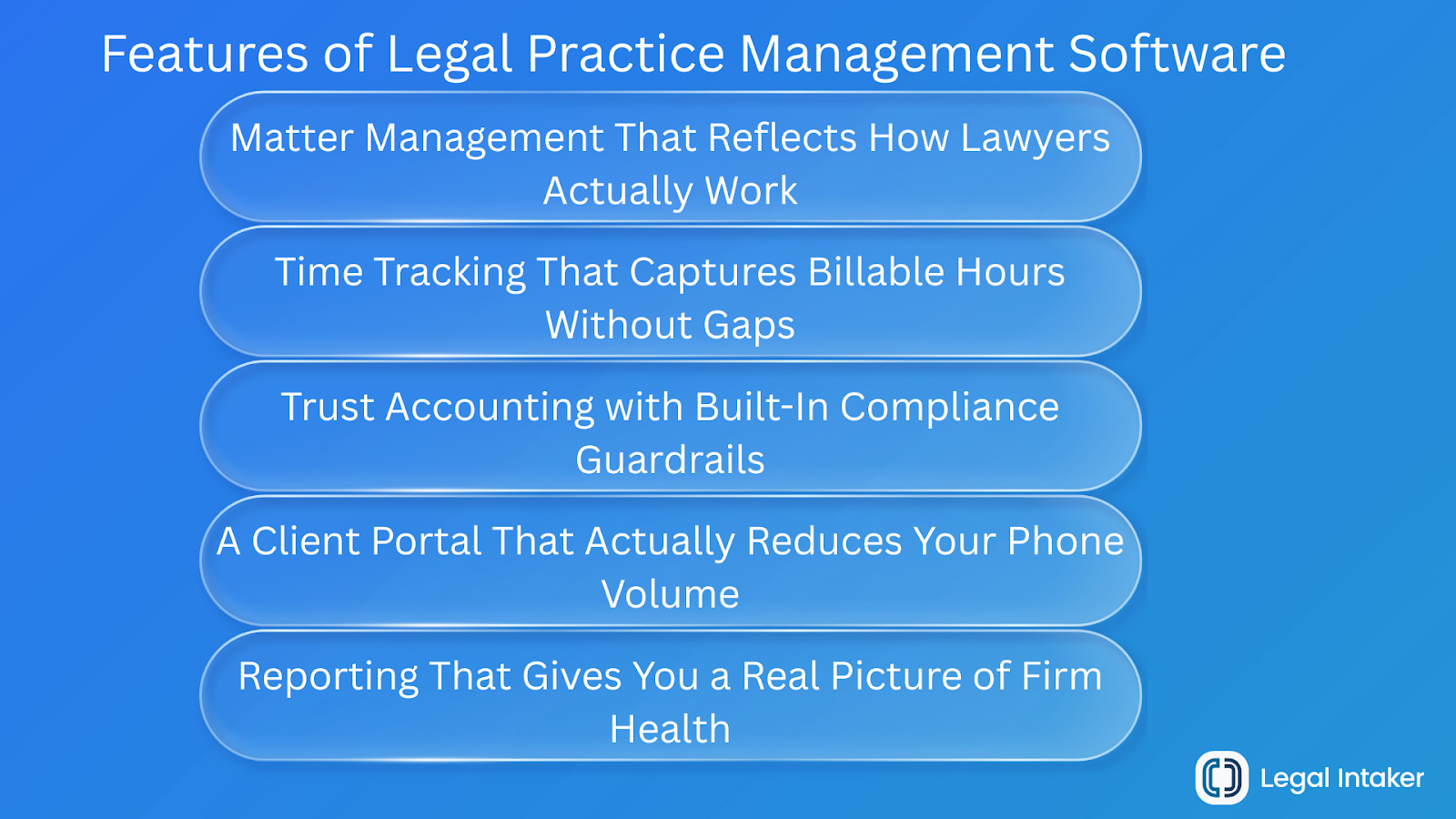
Matter Management That Reflects How Lawyers Actually Work
A matter is a lot more than a file name. It holds parties, deadlines, documents, notes, related contacts, billable time entries, invoices, and court dates. A good platform surfaces all of that in a single view so your team is not toggling between five tabs to find basic information on an active case.
What to look for in 2026: custom matter fields by practice area, deadline tracking with statute-of-limitations calendaring, and document version history.
Time Tracking That Captures Billable Hours Without Gaps
The ABA Model Rules require accurate and contemporaneous time records for hourly billing. Platforms that only support manual time entry at the end of the workday create billing leakage you will never recover. According to Clio's 2023 Legal Trends Report, attorneys who track time in real time capture 13% more billable hours than those who reconstruct their entries later from memory.
What to look for in 2026: one-click timers, automatic time capture from emails and calls, and UTBMS task codes for litigation billing.
Trust Accounting with Built-In Compliance Guardrails
IOLTA compliance is not a feature you can add later. Errors in trust accounting are among the leading causes of bar discipline in the United States, and many of those errors happen because general-purpose accounting tools do not separate operating funds from client funds at the system level. Dedicated legal billing software handles that separation automatically.
What to look for in 2026: three-way trust reconciliation reports, automatic client ledger tracking, and payment processing that defaults to the correct account every time.
A Client Portal That Actually Reduces Your Phone Volume
Clients expect digital access to their matters in 2026. A report from Thomson Reuters found that 79% of legal consumers listed a firm's communication responsiveness as a primary factor in their hiring decision. Platforms with built-in secure messaging and document sharing reduce inbound call volume and create a paper trail at the same time.
What to look for in 2026: branded client-facing portals, e-signature integration, and automated status update notifications.
Reporting That Gives You a Real Picture of Firm Health
You cannot make good business decisions without reliable data. The four KPIs that matter most for firm health are realization rate, collection rate, average matter profitability, and attorney utilization. Your platform should surface all four without requiring you to export data into a spreadsheet and build reports from scratch.
What to look for in 2026: pre-built dashboards for those four metrics, plus export formats your accountant can actually work with.
How to Evaluate Platforms Before You Commit
Before you start watching demo videos or reading review sites, answer these five questions about your own firm. Your answers set the requirements. Vendor responses either meet them or they do not.
Use Your Free Trial Like a Real Evaluation
Most platforms offer 14 to 30 day trials. A lot of firms click around for a few days and then make a decision based on how the interface looks. That is the wrong approach. Here is how to actually use that window:
- Import at least 10 real matters and observe how the platform organizes the data
- Run one complete billing cycle, including trust reconciliation if it applies to your firm
- Test the mobile experience, because attorneys work outside the office regularly
- Submit a support ticket and pay attention to how fast and how well they respond
The trial is the product. If a platform needs heavy workarounds during evaluation, it will need those same workarounds after you pay for it.
Buying Mistakes That Slow Firms Down
These are the patterns we see most often when firms end up frustrated with their software choice six months after signing up.
Choosing Based on the Monthly Price Tag
The least expensive platform is almost never the cheapest option once you factor in time. A system that lacks trust accounting, forces manual workarounds, or delivers slow support costs your staff hours every single week. A $30 per month platform that creates three extra hours of admin work per week is more expensive in practice than a $100 per month platform that automates that work entirely.
Buying an Enterprise Platform Before You Are Ready for It
Enterprise-grade platforms built for 50-attorney firms create a configuration burden and learning curve that solo practitioners and small teams cannot absorb quickly. Feature overload slows adoption, and underused software is a wasted budget. Start with what fits your firm today, not the firm you hope to be in five years.
Starting Too Simple and Painting Yourself Into a Corner
The opposite mistake is just as costly. Picking a bare-bones platform because it feels easy will force a disruptive data migration 12 to 18 months later when your firm grows past what the tool can handle. Pick a platform you can grow into, not one you will outgrow quickly.
Underestimating What Data Migration Actually Involves
Moving from one platform to another, or from spreadsheets and folders, requires exporting, cleaning, and re-importing client records, matter data, and financial history. Firms that do not plan for this lose weeks of productivity. Before you sign anything, ask every vendor directly: what does data migration support look like, and is it included in the onboarding package?
Top 5 Legal Practice Management Platforms Compared
No single platform is right for every firm. Here is a quick, honest breakdown of the five most widely adopted options right now.
1. Clio Manage
Best for: Small to mid-size firms that want the broadest ecosystem.
The most widely adopted platform in North America, Clio covers matter management, billing, document storage, a client portal, and CRM integration through Clio Grow. Its integrations library connects with over 200 tools. The trade-off is that trust accounting requires a paid add-on, and costs climb fast as your team grows.
Pricing: $49 to $129/user/month.
2. MyCase
Best for: Solos and small firms that want everything in one predictable subscription.
MyCase bundles billing, e-signature, lead management, and a solid client portal into a single plan. Built-in legal accounting at the advanced tier means no QuickBooks dependency. The integration library is smaller than Clio's, and reporting is lighter for firms with complex needs.
Pricing: $49 to $89/user/month.
3. PracticePanther
Best for: Firms that need to get up and running fast.
Consistently rated as one of the easiest platforms to implement. Workflow automation works well for repeatable practice areas like estate planning or immigration, and trust accounting is included on all plans. Document management and reporting customization are more limited compared to Clio or Filevine.
Pricing: $49 to $69/user/month.
4. Filevine
Best for: Litigation-heavy and high-volume plaintiff-side firms.
Built for firms managing large case loads. Highly configurable workflows, native AI for document review and deadline extraction, and strong intake features make it a serious tool for personal injury and mass tort practices. It comes with a steeper learning curve, higher cost, and annual contract commitments.
Pricing: Custom. Typically $99 to $149/user/month.
5. CosmoLex
Best for: Firms that want legal accounting built in from day one.
The only platform on this list that includes full legal accounting, including general ledger, accounts payable, and IOLTA trust management, at every tier without a separate integration. Reporting skews toward financial oversight rather than practice development metrics.
Pricing: $99/user/month flat.
A note on pricing: All figures reflect publicly available base rates as of early 2026. Most vendors negotiate annual contracts, and pricing for larger teams or add-on modules varies. Confirm current pricing directly with the vendor before budgeting.
The Part No Software Vendor Will Tell You About
There is a gap in every platform sales pitch. Software does not do anything on its own. Someone still has to enter the data, manage the deadlines, follow up with clients, process the invoices, and pull the reports. For solo attorneys and small firms, that someone is usually the attorney, which cancels out most of the time savings the software was supposed to create in the first place.
The firms that get the most out of their legal practice management software are the ones that pair it with Legal-Trained virtual staff who handle the operational layer every day.
What a Legal-Trained Virtual Assistant Actually Takes Off Your Plate
A U.S. Law Experienced Virtual Assistant from Legal Intaker is not a generalist who needs months of training to understand how a law firm works. These are professionals from a Pre-Vetted Talent Pool who arrive already fluent in the tools and workflows your firm relies on.
- Matter data entry and file organization in platforms like Clio, MyCase, and PracticePanther
- Client intake coordination, including lead capture, follow-ups, and consultation scheduling
- Billing support covering time entry review, invoice generation, and payment follow-up
- Deadline monitoring and calendar management inside your practice management system
- Trust account reconciliation support under attorney supervision
What the Numbers Say About Admin Time and Billing Capacity
The 2023 Clio Legal Trends Report found that attorneys spend only 2.9 hours of an 8-hour workday on billable work. The rest goes to admin tasks, client communication, and business development that could be handled by someone else.
At an average billing rate of $300 per hour for a small-firm attorney, recovering just one hour per day through virtual staffing support adds $75,000 in annual billable capacity, at a fraction of the cost of hiring a full-time in-house paralegal with benefits and office overhead.
"The real question for 2026 is not which software to buy. It is who is going to run it well."
Your Software Is Only as Good as the People Behind It
Legal practice management software is not optional anymore. In 2026, it is the baseline for any firm that wants to run efficiently, bill accurately, and deliver the client experience the market now expects.
But picking the right platform is only half the equation. The firms that get real results are the ones where trained people operate that software every day, handle the admin work that pulls attorneys away from billable time, and keep the system clean enough to generate data you can actually trust.
That is exactly what Legal Intaker is built to support. Our Legal-Trained, U.S. Law Experienced virtual staff integrate directly into your existing practice management platform and handle intake coordination, billing support, deadline monitoring, and client communication so your attorneys can stay focused on legal work.
See How Legal Intaker Works With Your Software Stack. Book a Consultation Today!

Frequently Asked Questions
What is the difference between legal practice management software and legal CRM software?
Legal practice management software manages your active matters: cases, deadlines, billing, and documents for clients you have already retained. Legal CRM software focuses on the earlier stage of bringing clients in, tracking prospects, automating follow-ups, and converting leads into signed clients. Some platforms, including Clio Grow and MyCase, now combine both functions in a single tool. If your firm has a high intake volume, having both available in one place or tightly integrated is worth prioritizing.
How much does legal practice management software cost in 2026?
Cloud-based platforms typically run between $39 and $129 per user per month for standard tiers. Platforms with advanced document automation, AI-assisted drafting, or deeper analytics can go above $200 per user per month. Most vendors price per user, so your total cost scales directly with your team size. Budget separately for implementation support, data migration, and add-ons like e-signature, payment processing, or accounting integrations, since those are often not included in the base subscription price.
Is cloud-based legal software safe for confidential client data?
Yes, when the platform meets current security standards. Look for AES-256 encryption at rest and in transit, SOC 2 Type II certification, role-based access controls, and multi-factor authentication as your baseline requirements. The ABA's Formal Opinion 477R confirms that cloud-based legal software can satisfy an attorney's confidentiality obligations under Model Rule 1.6, provided the attorney exercises reasonable care in selecting and configuring the platform.
Can a solo attorney implement practice management software without IT support?
Yes. Most modern cloud-based platforms are designed for self-implementation. Vendors like Clio, MyCase, and PracticePanther offer guided onboarding, video libraries, and live chat support to walk you through setup at your own pace. Realistically, basic implementation takes one to two weeks. Full adoption, where your team uses the system consistently and your data is clean, typically takes 60 to 90 days. Pairing your rollout with a Legal-Trained Virtual Assistant who already knows the platform shortens that timeline considerably.







.png)
.png)














.webp)














.webp)

.webp)









.webp)