
Key Takeaways
- The right intake software can cut a law firm's administrative workload by up to 40%, but picking the wrong one creates a data-entry problem instead of solving one.
- Conflict checking, e-signature, and CRM functionality are non-negotiable features in 2026, any tool missing these puts your firm at compliance and revenue risk.
- No intake software converts leads on its own; firms that pair automation with Legal-Trained Virtual Assistants see consistently higher client retention rates.
- Pricing models vary widely across solo, small, and enterprise tiers, so matching cost structure to firm size before signing prevents expensive mid-growth switching.
If your firm is still collecting new client information through phone calls, email chains, and handwritten notes, you are losing clients to competitors who figured out intake automation years ago.
According to the 2023 Clio Legal Trends Report, 42% of potential clients who contact a law firm never hear back within a reasonable timeframe. And research published in the Harvard Business Review found that firms responding to an inquiry within one hour are 7 times more likely to qualify that lead than firms that wait longer.
The good news: this is a solvable problem. The right client intake software turns a chaotic first-contact process into a repeatable, trackable system that works even when your staff is busy or offline.
We reviewed 10 of the leading platforms available in 2026 and ranked them by real-world fit for law firms of different sizes, practice areas, and budgets.
Why Your Intake Process Is Costing You Clients Right Now
Most attorneys think of intake as a back-office function. It is actually your first sales touchpoint.
When a prospect contacts your firm, they are almost certainly contacting two or three others at the same time. The Clio 2022 Legal Trends Report confirmed that 79% of legal consumers contact more than one law firm before making a hiring decision. Speed and professionalism during that first interaction determine who gets retained.
Manual intake processes average 3 to 5 business days to fully onboard a new client. By day two, many prospects have already hired a competitor. Beyond lost revenue, a broken intake process creates misfiled data, missed conflict checks, and compliance gaps that can trigger bar complaints or malpractice exposure.
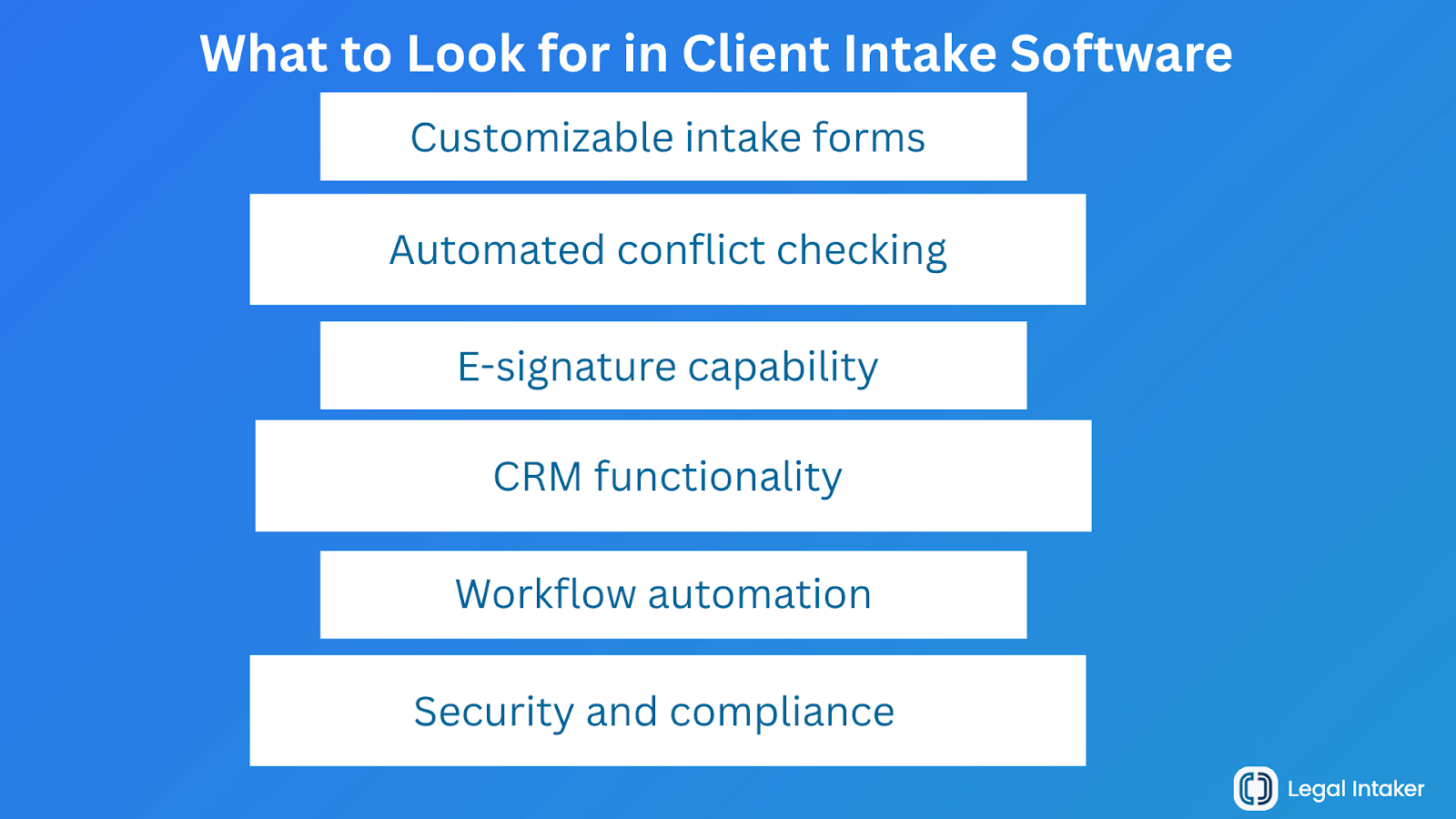
What to Look for Before You Pick Any Tool
Before we get into the rankings, here are the features that separate genuinely useful intake software from ones that just add complexity.
Customizable intake forms
Every practice area captures different data. You need conditional logic, multi-step forms, and mobile responsiveness without relying on a developer for every update.
Automated conflict checking
ABA Model Rule 1.7 requires conflict screening before representation begins. Any software worth using cross-references new prospect data against your existing clients and matters automatically.
E-signature capability
Paper retainer agreements slow down every matter. Native e-signature or integrations with DocuSign and Adobe Sign reduce retainer turnaround from days to hours.
CRM functionality
You need to see every prospect in the pipeline, log communications, and set follow-up reminders. Without a CRM layer, leads fall through the cracks between first contact and signed retainer.
Workflow automation
The best platforms trigger actions automatically: a form submission sends a confirmation email, a scheduled consultation sends reminder texts, and a signed retainer opens a new matter in your practice management system.
Security and compliance
Look for 256-bit AES encryption in transit and at rest, SOC 2 Type II certification, role-based access controls, and HIPAA compliance if your practice handles medical records.
10 Best Client Intake Software for Law Firms in 2026
1. Clio Grow
Best for: Full-service firms already using Clio Manage.
Clio Grow is the intake and CRM arm of the Clio platform. If your firm already runs on Clio Manage, this is the most seamless way to connect lead tracking directly to matter management. New client data flows from intake form to active matter without duplicate entry.
The platform includes customizable intake forms, e-signature via HelloSign, appointment scheduling, and an email drip campaign builder. Conflict checking pulls directly from your Clio Manage database.
What we like: The native integration between Clio Grow and Clio Manage is best-in-class. No middleware, no sync delays.
Honest limitation: If you are not using Clio Manage, Clio Grow loses a lot of its advantage. Integrations with third-party practice management tools exist but require more setup.
Starting price: Approximately $49 per user per month.
2. Lawmatics
Best for: Firms that treat marketing and client development as a competitive priority.
Lawmatics was built from the ground up as a legal CRM first and intake tool second. That distinction matters. Where most intake platforms focus on data collection, Lawmatics focuses on lead nurturing: automated email sequences, pipeline tracking, and conversion analytics that tell you exactly where prospects drop off.
It includes customizable forms, e-signature, appointment scheduling, document automation, and a reporting dashboard that most competitors charge extra for.
What we like: The marketing automation features are genuinely strong. If your firm runs paid ads or referral programs and needs to track ROI from first contact to retained client, Lawmatics gives you that visibility.
Honest limitation: The interface has a steeper learning curve than simpler tools. Budget time for onboarding.
Starting price: Approximately $199 per month for the base plan.
3. MyCase
Best for: Small to mid-size firms that want intake, billing, and client communication in one platform.
MyCase pitches itself as an all-in-one practice management platform, and for firms that want to avoid juggling multiple subscriptions, it delivers. The intake module handles lead capture, online intake forms, e-signature, and basic conflict checking, all within the same system that handles time tracking and invoicing.
What we like: The client portal is excellent. Clients can review and sign documents, pay invoices, and communicate with the firm through a single secure interface.
Honest limitation: The intake and CRM features are solid but not best-in-class on their own. Firms with complex intake workflows may find the automation options limited compared to dedicated intake tools.
Starting price: Approximately $49 per user per month.
4. Law Ruler
Best for: High-volume personal injury, mass tort, and contingency fee firms.
Law Ruler was purpose-built for practices that process large numbers of inbound leads. It includes AI-powered lead scoring, automated SMS and email follow-ups, call tracking, and referral source attribution, giving PI firms the kind of marketing intelligence that most legal software ignores entirely.
The intake forms are fully customizable, and automated follow-up sequences mean no lead goes cold without a human ever having to notice.
What we like: The SMS automation is genuinely effective for PI and mass tort practices where speed of contact directly affects conversion rates.
Honest limitation: Law Ruler is designed for high-volume intake. Solo practitioners and small transactional firms will likely find it more than they need.
Starting price: Custom pricing. Request a demo for current rates.
5. Filevine
Best for: Litigation-heavy firms managing complex, document-intensive matters.
Filevine started as a case management platform and added intake functionality as the product matured. Its strength is document automation and matter organization rather than lead nurturing. Intake forms feed directly into detailed case files with built-in task management, deadline tracking, and deep document generation.
What we like: The document automation is among the most powerful available. Firms that generate a high volume of standard legal documents will recoup the cost quickly.
Honest limitation: Filevine's intake and CRM features are secondary to its case management core. If you need strong lead tracking and conversion analytics, you may need a supplementary tool.
Starting price: Custom enterprise pricing. Typically better suited to firms with 10 or more attorneys.
6. Smokeball
Best for: Small law firms and solo practitioners in the U.S., U.K., and Australia.
Smokeball combines practice management, time tracking, document automation, and intake in one package. It is particularly well-regarded for its automatic time capture feature, which records billable activity without attorneys needing to manually log time. The intake module is functional and integrates tightly with the rest of the platform.
What we like: Automatic time capture is a genuine differentiator for billing-conscious small firms.
Honest limitation: The intake and CRM features are not as deep as dedicated intake tools. Smokeball works best for firms where matter management and billing are the primary pain points.
Starting price: Approximately $99 per user per month.
7. HubSpot with Legal Workflow Customization
Best for: Firms with a dedicated marketing function and an existing HubSpot investment.
HubSpot is not built for law firms, but its CRM and marketing automation capabilities are powerful enough that firms with an existing investment often find it worth customizing for legal intake. With the right workflow setup and form integrations, HubSpot can handle lead tracking, automated follow-ups, and pipeline reporting at a level that purpose-built legal tools rarely match.
What we like: If you are already running paid search or content marketing campaigns, HubSpot's attribution reporting is significantly stronger than anything purpose-built for legal.
Honest limitation: Out of the box, HubSpot has no conflict checking, no legal-specific intake forms, and no native connection to practice management software. Setup requires investment in configuration and integrations.
Starting price: HubSpot's Sales Hub starts at approximately $90 per user per month for tools relevant to intake.
8. CosmoLex
Best for: Solo practitioners and small firms looking for a single platform that covers intake through billing.
CosmoLex is an all-in-one legal practice management platform with built-in trust accounting, time tracking, document management, and basic intake capabilities. It is designed for firms that want to run everything from one login without paying for separate tools.
What we like: The trust accounting features are among the best built into a full-practice platform, which matters significantly for firms handling client funds.
Honest limitation: Intake and CRM functionality is basic compared to dedicated tools. If lead conversion is a priority, CosmoLex works better as a matter management platform than a standalone intake solution.
Starting price: Approximately $99 per user per month.
9. PracticePanther with Lawmatics Integration
Best for: Growing firms that want Lawmatics' intake strength paired with PracticePanther's matter management.
PracticePanther is a popular practice management platform with strong billing and document features. Its native integration with Lawmatics lets firms use Lawmatics for intake and CRM while keeping matters, time, and billing in PracticePanther. For firms that have already invested in PracticePanther but need a better intake front end, this combination is worth evaluating.
Starting price: Combined cost runs approximately $99 to $249 per user per month depending on tier.
10. Zoho CRM with Legal Customization
Best for: Cost-conscious firms comfortable configuring a general-purpose CRM for legal use.
Zoho CRM is a flexible, affordable platform that a number of smaller law firms configure for intake use. Custom fields, workflow automations, and form builders are all available at a significantly lower price point than dedicated legal intake software. For firms with technical resources or a consultant who can set it up, Zoho offers strong functionality for the cost.
What we like: The price-to-feature ratio is hard to beat for firms that have someone who can configure the system properly.
Honest limitation: Zoho requires meaningful customization to work for legal intake. It has no native conflict checking, no legal-specific templates, and no out-of-the-box integrations with practice management platforms.
Starting price: Approximately $20 to $65 per user per month depending on tier.
Quick Comparison Table
The One Thing Software Cannot Do for Your Firm
Every tool on this list will improve your intake process. None of them will close your deals for you.
Here is what the software vendors do not advertise: a prospect who just survived a car accident, received a termination notice, or is facing a custody battle is not looking for a clean web form. They are frightened, uncertain, and looking for someone who understands their situation and makes them feel like they chose the right firm.
That requires a person, not a workflow.
The law firms that consistently convert the most leads in 2026 use a two-layer intake model. The software layer handles automation: data collection, conflict checks, scheduling, and document generation. The human layer handles the relationship: live conversations, empathetic listening, intelligent pre-screening, and the kind of first impression that makes a prospect feel confident they called the right number.
At Legal Intaker, we provide U.S. Law Experienced Virtual Assistants who are trained specifically in legal intake. They are not a call center. They understand practice area nuances, follow your firm's intake scripts, collect accurate data, and escalate to attorneys only when appropriate.
Here is what a Legal Intaker Virtual Assistant handles for your firm:
- Live call and chat intake during business hours and after-hours overflow
- Practice-area-specific intake conversations using your firm's scripts
- Prospect pre-screening before attorney consultations
- Consultation scheduling directly into your calendar
- Accurate data entry into your intake software (no double-entry, no transcription errors)
- Follow-up outreach to prospects who submitted forms but did not respond
Your software runs the system. Your Legal-Trained Virtual Assistant wins the client. Together, they turn your intake process into a competitive advantage instead of a bottleneck.
Your Next Step: Turn Your Intake Into a Client-Winning Machine
Your intake process is your firm’s first impression. It shapes whether a lead becomes a client, ensures compliance from the start, and gives your attorneys complete, accurate case details to work with.
The tools above handle the structure. They automate intake, organize pipelines, run conflict checks, and send retainers quickly. But the firms that stand out combine that automation with real human support that builds trust and keeps prospects engaged.
Legal Intaker brings both together. Our pre-vetted, U.S. law-experienced virtual assistants work alongside your intake software so no lead goes cold and no opportunity is missed. Book a free 15-minute consultation at Legal Intaker to see how it fits your current setup.

FAQs About Client Intake Software
How does client intake software handle conflict of interest checks?
Most platforms cross-reference new prospect data including name, opposing party, and related businesses against your existing client and matter records. When a match is detected, the system flags the conflict before a consultation is scheduled. The accuracy of this process depends entirely on how complete and consistently entered your existing data is. Software can only check against what has already been recorded correctly.
Can client intake software be customized for different practice areas within the same firm?
Yes. Leading platforms let you build separate intake forms, workflows, and document templates for each practice area. A personal injury intake collects accident details and insurance information while an estate planning intake captures asset summaries and beneficiary designations, all within the same platform. Look for conditional logic support and multi-form libraries when comparing your options.
What security standards should legal intake software meet in 2026?
The baseline requirements are 256-bit AES encryption in transit and at rest, SOC 2 Type II certification, role-based access controls so staff only see data relevant to their role, and a documented data breach response policy. Firms handling medical records in personal injury, workers' compensation, or family law matters should confirm HIPAA compliance explicitly. Ask any vendor for their most recent third-party security audit report before signing.
How much does client intake software for law firms typically cost?
Solo practitioner plans typically start around $49 to $99 per month. Small firm plans covering two to ten attorneys generally run $99 to $299 per month. Mid-size firms with 10 to 50 attorneys can expect $300 to $800 per month depending on features and user count. Enterprise pricing for larger firms is negotiated annually. Always calculate total cost of ownership by adding the base subscription, onboarding fees, per-user charges, and integration costs. A cheaper base plan with expensive add-ons frequently costs more than a higher-priced all-in-one.







.png)
.png)














.webp)














.webp)

.webp)









.webp)